
Keep Your Internet Buffer-Free With The Best Wireless Router
-
Netgear R7800 Nighthawk X4S AC2600 -
ASUS RT-AC68U AC1900 -
Gryphon Advanced Security and Parental Control -
Linksys Smart Dual Band EA7300 -
TP-Link Archer A7 AC1750 -
Asus RT-N66U Dual Band -
D-Link DIR-868L -
Buyer's Guide
Wireless routers are an essential component of any network, no matter how big or small. These days, it seems that just about everything is network-connected, and requires a Wi-Fi signal to function properly. A wireless router can make or break a network; the difference between a good wireless router and a mediocre one comes down to how much unwanted attention your network draws to itself.
That said, there's a vast array of wireless routers available today, covering a wide price and performance spectrum. Feature lists are getting longer every year, and there's a never-ending stream of new technologies to keep track of. If you've gone shopping for a wireless router recently, you'll undoubtedly have experienced first-hand how confusing this market can be. Rather than simply choosing the most expensive or cheapest option on the shelf, we recommend narrowing down your picks to the best wireless routers in 2022 with higher-performing options currently available. After all, this single piece of hardware serves as the backbone of your entire network, and you need to count on it to provide years of reliable service.


WiFi routers for the best connection possible in 2022

Netgear R7800 Nighthawk X4S AC2600 - Best Wireless Router Overall
It's quite possible that Netgear has the largest product lineup of any wireless router manufacturer today, and the fact that half of the lineup shares the "Nighthawk" name and similar external designs doesn't help much. To be clear, we've selected the Nighthawk X4S, which we'll refer to using its model number of R7800 to avoid further confusion.
The R7800 discreetly packs top-end 802.11ac technology in a case that forgoes the extroverted (and often juvenile, depending on how you look at it) styling touches of so-called "gaming routers", and we couldn't be happier with the result. It shares the same angular design as many of Netgear's other Nighthawk routers, with the exception of four external antennas as opposed to the typical three. Connectivity is plentiful, but the ports are scattered around the unit. Around back, you'll find 5 Ethernet ports - the one marked in yellow is dedicated to the input from your modem, while the numbered ports are all Gigabit Ethernet. Netgear also provides a dedicated switch to shut off the status LEDs, which can be immensely useful if the bright lights prove to be distracting. The sides of the unit house ports as well - a pair of USB 3.0 ports are located on the left, while an eSATA port is found on the right. The inclusion of the latter allows much higher data transfer rates to external drives, meaning the R7800 can perform double duty as a network attached storage unit.
If the appearance is sedate, the performance is anything but. The array of four external antennas is the first sign that this router performs on a different level compared to entry-level 802.11ac models. 4x4 MU-MIMO is fully supported, provided you have devices that can take advantage of this technology. SmallNetBuilder's test of the R7800 shows that this is easily one of the fastest wifi routers around, measuring both 2.4 GHz and 5 GHz throughput. Paired with the 1.7 GHz dual-core processor, the R7800 certainly has enough muscle to handle heavy data loads and multiple simultaneous connections without blinking. Make sure your internet subscription is fast enough - if it's under 250 Mbps, you're leaving tons of performance on the table.
The $229.99 MSRP makes the R7800 one of the pricier routers among our recommendations, and is one of the only drawbacks we can find. That said, it can be found online for well under $200, which is a much more reasonable price for one of the highest-performing routers on the market today. Whether you have the service and equipment to take advantage of the extra performance or you're simply looking to future-proof your setup, the R7800 is a solid investment in your network.


ASUS RT-AC68U AC1900 - Runner Up
If the Asus RT-AC68U looks familiar, that's because it bears a striking resemblance to the RT-N66U that we've recommended for years. While it's not quite the direct replacement to our previous favorite (that spot is filled by the similarly named RT-AC66U), Asus positions the RT-AC68U as a slightly higher-performing variant. As the model name implies, the RT-AC68U supports the latest 802.11ac Wi-Fi standard - also to be known as "Wi-Fi 5", according to the Wi-Fi Alliance. All things considered, we feel that the RT-AC68U is the sweet spot in the Asus wireless router lineup.
Asus certainly played it safe with the external design of the RT-AC68U, carrying over the cross-hatched appearance and three prominent external antennas. The overall size hasn't changed too much, but the added componentry results in a thicker case compared to the RT-N66U. It's a different story out back, however - because the RT-AC68U is meant to stand vertically, the ports have been shifted to the bottom of the case. The four Gigabit Ethernet ports remain, as do the pair of USB ports; one of these has the telltale blue connector of USB 3.0, making the RT-AC68U a more realistic option for attaching a networked hard drive.
Rather than altering a successful design motif, Asus took the opportunity to further increase performance without sacrificing reliability. The RT-AC68U is a three-stream router like its predecessor, but adopting the latest 802.11ac standard allows a noticeable throughput increase with compatible devices. Asus claims up to 600 Mbps on the 2.4 GHz band and 1300 Mbps using the 5 GHz radio to justify the AC1900 label. While it's unlikely you'll see these speeds regularly (see our buyer's guide for more info), the RT-AC68U offers enough real-world performance to stream 4K content reliably. The 1 GHz dual-core processor keeps the RT-AC68U operating reliably even with multiple connections, preventing any throughput "bottlenecks" that can occur with lesser routers that don't have the processing power to keep up with demand.
With an MSRP of $149.99, the RT-AC68U balances its performance nicely with a reasonable price tag. While $150 is certainly a chunk of change (considering how lower-end yet still-viable 802.11ac routers available for a third of the price), the RT-AC68U earns our recommendation because of its noticeable real-world performance bump. This particular router is especially well-suited for users with faster internet service subscriptions, as the added throughput can better take advantage of the higher data rates.

Gryphon Advanced Security and Parental Control - Best Speed
Next-generation Wireless routers with WiFi 6 mesh networks are the best option for rising internet speeds. If you've got a lot of gadgets in your house that need to communicate with each other, this WiFi router is a great choice. Smart Home Security for all your devices and, most importantly, for your family's safety from unwelcome online influences is now available! Your home will be a sanctuary with this WiFi 6 router. Three thousand square feet may be covered with a single Gryphon AX mesh WiFi router.
Key Features:
- Next-Generation Firewall protection that keeps you protected
- A total of 4.3 Gbps of WiFi data throughput is provided to accommodate more devices
- Fast and dependable WiFi is possible even in huge homes thanks to mesh WiFi technology
- Wherever you go, parental controls are with you

Linksys Smart Dual Band EA7300 - Honorable Mention
The Linksys AC1750 Smart Wi-Fi Router is a sound investment for anybody looking for a wireless router that is both reliable and efficient. This device provides up to 1,500 square feet of coverage and can handle over ten wireless devices at a time. You can control the router through the easy-to-use app. In addition, this router provides dual-band speeds of 1.7 Gbps and also comes with an extended 18-month warranty. So, if you are somebody who enjoys 4K streaming and online multiplayer, but you don’t want to sit around while your content buffers repeatedly, this router should serve you very well.

TP-Link Archer A7 AC1750 - Also Consider
It can be frustrating to wade through the budget-friendly end of the router market. Too often, the affordably-priced routers demand major sacrifices in throughput speeds, wireless range, or reliability, and are often not a great long-term choice. Despite this, it's entirely possible to find competent routers from reputable manufacturers at affordable prices. Considering how much expertise TP-Link has in providing quality networking equipment at incredibly reasonable prices, it should come as no surprise that the Archer A7 earns our recommendation.
The Archer A7 offers a modern, no-nonsense design that makes no attempt to hide the fact that it is a wireless router. The glossy top surface gives the A7 a premium vibe, but it displays dust and picks up fingerprints extremely easily. All of the status lights are located on the front panel and provide useful information at a glance; if you find them distracting and want them turned off, you'll need to navigate through the web interface and enable "Night Mode" by specifying a time range. Tucked between the rear-mounted external antennas are the typical connections: 4 Gigabit Ethernet ports, the Internet input that goes to your modem, and a single USB port. Here's one area where the Archer A7 cedes some ground to pricier models - the USB port is 2.0 only, so it's not the greatest option if you want to link a hard drive for wireless sharing.
Wireless performance is where the Archer A7 shines. While it doesn't have the sheer horsepower of the more expensive routers with dual-core processors, the Archer A7 is more than capable of supporting modern households with multiple computers, tablets, phones, and smart devices that rely on an internet connection. SmallNetBuilder's testing (https://www.smallnetbuilder.com/wireless/wireless-reviews/32196-tp-link-archer-c7-ac1750-wireless-dual-band-gigabit-router-reviewed) shows respectable throughput in the 2.4 GHz band; the real surprise is its 5 GHz performance that allows the Archer A7 to punch way above its weight. Despite its clearly budget-friendly internal hardware, reliability is a strong point as well - there's plenty of feedback from happy users who report whole-house Wi-Fi coverage with no dead zones, drop-outs, or restarts. The Archer A7 is unique in that it offers direct compatibility with Amazon's Alexa as well - you can even use Alexa to create a guest network and connect devices to it without ever touching the router itself.
The real draw of the Archer A7 comes from its unbeatable value proposition. Retail pricing is at $79.99, which is fair on its own; online pricing often drops to well under $60. It may be light on features, but the respectable performance and proven reliability means that the Archer A7 is one of the most budget-friendly ways to noticeably boost your wireless network.
Note: The TP-Link Archer A7 is an Amazon-exclusive product. The similar (but not identical) C7 model looks and performs similarly, but drops Alexa compatibility and often costs slightly more online than the A7.

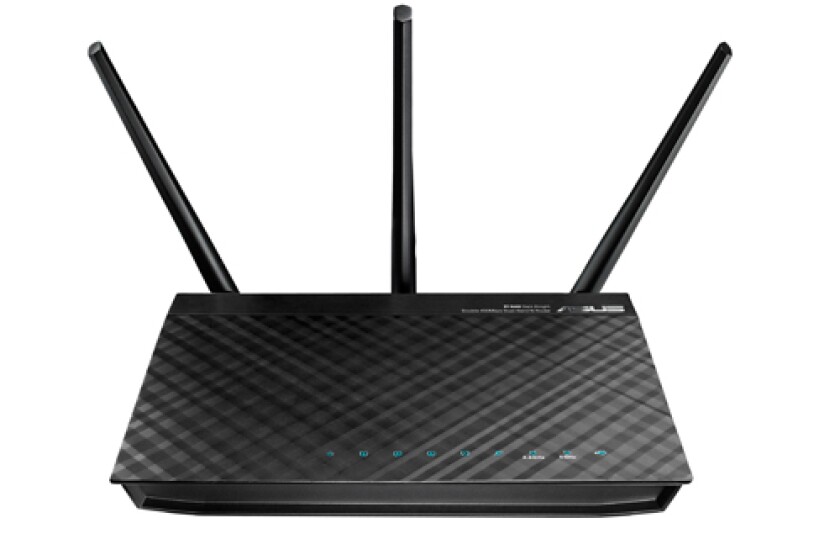
Asus RT-N66U Dual Band - Also Consider
Asus may be better known for their computers and components, but this company has an established presence in the wireless router industry as well. The RT-N66U slots neatly above the RT-N56U Black Diamond (which remains one of our favorite routers at any price), offers improved performance all around, and is easily one of the best routers on sale today.
One of the first things you'll notice about the RT-N66U is the different design - whereas the RT-N56U emphasized sleek minimalism, the RT-N66U features a trio of external antennas. This new addition is more than cosmetic - dedicated users now have the option of unscrewing the factory antennas and replacing them with more powerful units, much in the vein of the old Linksys WRT54GL. While the crosshatched "diamond" pattern stays, the status lights have now been merged into their respective symbols for a more streamlined appearance. The included stand allows the router to be propped up horizontally, positioning the antennas for maximum effectiveness. It's obviously part of the same family that the RT-N56U belongs to, and stands out from the sea of look-alike routers.
Though the RT-N56U was already a stout performer to begin with, there are several aspects that the RT-N66U improves upon. The external antennas provide a welcome boost in range, allowing the RT-N66U to cover areas that may previously have been "dead zones". Wireless throughput speeds are up in both 2.4 GHz and 5 GHz modes, with noticeably higher speeds further away from the router. The RT-N66U offers four Gigabit Ethernet ports, with SmallNetBuilder's testing showing up to 810 Mbps in simultaneous throughput. This is one of the best-performing wireless routers on sale today, and should be your top consideration if range is especially important.

D-Link DIR-868L - Also Consider
As an advanced 802.11ac home router, the D-Link DIR-868L is one of the best. It performs extremely well at the core things that are expected from a WiFi router, including fast connections and reliable throughput. That being said, if you are looking for something that is capable of more than simple routing, this may not be the right choice. While this particular router is cloud-enabled and features mobile apps, neither feature can be considered fully-baked at this point. As well, the DIR-868L cannot be used as a media bridge or standalone access point. But again, if straight wireless routing is the priority, this is an excellent choice. The DIR-868L is among the top performers in its class; SmallNetBuilder's testing shows up to 121 Mbps of throughput in 2.4 GHz mode, and up to 372 Mbps in 5 GHz mode - all while offering stable signal on both bands. In terms of wired connectivity, the DIR-868L has four gigabit Ethernet ports and a USB 3.0 port on the back. Easy to use and offering outstanding performance, the D-Link DIR-868L is an excellent choice if you're looking for one of the best 802.11ac-enabled routers you can buy.
Buyer's Guide
A wireless router, also known as a Wi-Fi router is a hardware device that shares internet access across multiple networks or computer systems. In other terms, it is a networking gadget that allows multiple Wi-Fi-enabled systems to connect to the internet.
The events of the past year have intensified the importance of Wi-Fi routers, since we now have to work remotely and connect to various study and entertainment apps such as Google Classroom, Zoom, Netflix, IMDb, and Disney + simultaneously.
If you are looking to buy a router, you need to know the factors that make a good router and tailor these factors to your connection needs. This buying guide will teach you everything that will help you buy and connect with the best wireless router for you.
What factors do I need to consider before buying?
Wireless Standard
The standard that governs networking equipment is IEEE 802.11, and the last five numbers may look familiar to you if you purchased your last router a decade ago. At that time, the following standards dominated the market: 802.11b, 802.11g, and 802.11n. All three are now considered legacy/historical standards, based on outdated technology that's seldom encountered today. Two of the most popular newer standards are 802.11ac and 802.11ax; with all of the 802.11 this and that, it's hard to keep track of which standard represents what. With so much information around to confuse buyers, who has time for that?
Luckily, the Wi-Fi Alliance agreed and created a much simpler naming system, applied retroactively. From oldest to newest:
- 802.11n is now Wi-Fi 4
- 802.11ac is now Wi-Fi 5
- 802.11ax is now Wi-Fi 6
Most of today's consumer routers are of the Wi-Fi 5 variety, with higher-performing models adopting the Wi-Fi 6 standard. Each is also backwards-compatible with earlier versions, so your older devices should be able to connect to your new router regardless.
Wi-Fi Bands
When selecting your wireless router, find out how many bands it can broadcast on. Entry-level routers tend to be restricted to a single 2.4 GHz radio, while premium routers simultaneously operate on 2.4 GHz and 5 GHz frequencies. 2.4 GHz tends to be more stable and will provide a usable signal through several walls, but 5 GHz is the band that will deliver blistering Wi-Fi throughput speeds.
Security
The internet is a hacker’s playground, and vulnerabilities in online systems are like rollercoasters. To protect your whole online system from being held hostage by hackers, you must select a wireless router that supports WPA2 or WPA3 security authentication. That said, not all devices support WPA3, so you must check if your all devices are WPA3-compatible before setting up your network. You can also check for Wi-Fi routers with extra security measures like built-in antivirus software, extra encryption, firewalls, VPN services, the ability to block unwanted users, and many more.
Routers with high-level security measures will cost a pretty penny, but at least they’ll keep you safe from online predators.
USB Ports
The rule here is quite simple: Before purchasing a wireless router, make sure it has two or more USB ports (at least 3.0) for connectivity. Even with the growing popularity of other connection methods, standard USB remains one of the most common and simplest file transfer methods. Therefore, your Wi-Fi router must have ports that support the connection of USB devices like hard drives and printers to enable you to share files to all the devices on your network.
Actual Rate
The primary function of a wireless router is to provide internet access, and you'll want the highest possible data speeds for maximum stability. Modern routers now come with an easy reference label that provides information on both the router's 802.11 standard compliance and wireless throughput speeds. For example, a router labeled AC1200 means it's an 802.11ac (or Wi-Fi 5) device that can offer up to 1,200 Mbps (megabits per second) of combined throughput. Likewise, an AX11000 label refers to an 802.11ax (or Wi-Fi 6) router that can deliver a theoretical maximum of up to 11,000 Mbps, meaning this router uses newer technology and will perform at nearly ten times the speed of the first example we used.
While the AC/AX moniker is useful in that it allows shoppers to easily figure out the rotuer's technology at a glance, take the following numbers with a grain of salt. No router will ever truly achieve the speeds shown on the box; as mentioned above, that number indicates a theoretical maximum. In the real world, data throughput is limited by various environmental and technological factors - i.e. distance from the router, interference caused by physical walls or competing signals, your device's ability to connect to multiple streams, etc.
In any case, a larger number translates into a higher-performing router. With that in mind, don't feel compelled to stretch your budget on a flashy router promising best-in-class throughput if you don't really need the extra speed. One other potential bottleneck to consider is your internet provider's subscription package - there's no reason to waste money on a $500 gaming router if your service caps out at 50 Mbps. An AX11000 router may be able to provide unparalleled wireless data speeds, but the internet coming into your home isn't going to move any faster than 50 Mbps no matter what your router does.
RAM and Processor Chip
Wireless routers are essentially miniaturized computers that are built with a specific function in mind, so it makes sense that they'd feature a processor and RAM just like the device you're using. It works the same as any other computer - a router equipped with a faster processor with multiple cores and plenty of RAM will be able to run more simultaneous tasks with a higher degree of reliability.
A router's RAM and processor determines its speed. Activities such as streaming, internet surfing, online gaming, data sharing and whatnot, tend to weigh on the RAM and processor. Don't overthink it, though. Every Wi-Fi certified router on the market features adequate componentry that will allow stable operation, so the router's processor and RAM shouldn't be what determines your selection. One exception to this concept is for power users such as professional gamers, graphic designers, or any other use case that requires extra-robust hardware. If you fall into this category, you probably already know exactly what you need.
Quality of Service (QoS)
QoS, also known as traffic control or media prioritization is a feature that determines how intelligent your wireless router is. When shopping for a router, check that it has Intelligent QoS, Intelligent Dynamic QoS, or Adaptive QoS and not just plain QoS. These advanced traffic controls will automatically split bandwidth according to the demand and ensure seamless internet connection no matter the amount of data being consumed.
Wireless Router FAQs
Can two routers be used on the same home network?
Yes. It is possible to connect multiple routers to one home network. Combining two or more wireless routers can boost network coverage, thereby eliminating possible "dead zones" and allowing devices located further away to connect and be a part of the network. Also, connecting a Wi-Fi router to a wired one allows wireless devices to connect to the network.
Do wireless routers have a lifespan?
Yes. The internal system does not experience mechanical wear and tear, since it has no moving parts. So in theory, they should last for as long as possible. However, everything fails eventually, so the estimated average lifespan of a wireless router is 5 years. This duration may change depending on certain factors like maintenance, advancements in internet technology, and usage.
How can I boost the speed and performance of my wireless router?
Sluggish internet speed is one of the most annoying things on the planet. But don't worry, here is a list of things to do to boost the speed of your router:
1. Change its position: You can start by placing it in a more central area.
2. Adjust or change your router’s antenna.
3. Check your internet data plan - are you leaving speed on the table?
4. Reduce unnecessary connections to the router. For example, when's the last time you turned on that Xbox?
5. Extend your Wi-Fi network coverage with devices such as Wi-Fi boosters, Mesh Wi-Fi systems, wired access points, or a power line extender.
6. Reboot your router and other devices connected to it by switching them off and on.
7. Confirm that you are on the right frequency band. 2.4 GHz is more stable and reaches further throughout the house, but often won't provide the speed that a 5 GHz connection can.
8. Check for firmware updates on your router and apply them if needed.